Migrating from Wordpress to a Svelte powered Markdown blog
Thomas Kunnumpurath
VP Systems Engineering · Solace
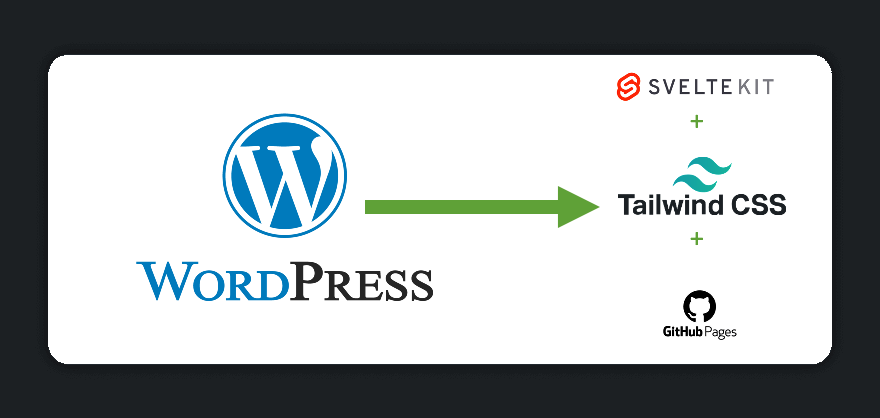
I recently migrated my personal website - TKTheTechie.io - from a wordpress powered site to a static svelte markdown powered site. In this post, I will briefly go over the reasons why I did it and the tech stack used to accomplish it. Another point worth mentioning in this post is that apart from the domain - the hosting is completely free and I’ll show you how you can take advantage of this too.
The Wordpress Site
I initially designed my site on wordpress because it offered a quick and easy way to get started and provided a number of customizable themes to get up and running rather quickly. It also offered a rich blogging tool set with built in commenting systems. This was all well and good but there were a few challenges:
Usability - Since word-press is a very WYSIWIG tool, adding a blog meant that I would have to login to the word press administrative panel and use an editor to write up the blog and then publish it. Formatting the blog was likewise somewhat tedious. I feel writing a blog in markdown is far more straightforward.
Inefficiency - On page load, my wordpress site made over 150 requests for backend resources (scripts, images, stylesheets etc) vs 35 requests made for the current static site. This was because wordpress and its associated plugins offer a lot of generic customization which leads to a bloat in static resources required to run the site.
Responsiveness - I would periodically notice odd issues here and there with regards to responsiveness of the website on mobile phones. Sometimes these issues would result in inifinte redirect loops or odd alignment issues. Not having direct control of the scripts/styling made my ability to troubleshoot these issues rather difficult.
Looking for an alternative
I looked at a few alternatives but in the end I very much enjoyed the theming style that I had for my wordpress website and it was hard to find it with any other tooling out there. So really the only other option available to me was to build it myself and replicate the theming style as much as possible. Also, the more I thought about it - my website was mainly static with minimal dynamic content (most of which I could ignore) which made it quite suitable for a SPA (Single Page Application). I also was looking for a markdown powered blogging system.
Here is the stack I settled on
Svelte - A very lightweight JavaScript framework that differentiates itself from other frameworks with a transpilation based system where you write code in JavaScript, HTML, and CSS and the transpilation process spits out mostly pure JavaScript and HTML. I personally find it more easily usable than other frameworks such as React.
SvelteKit - A framework built on vite that allows you to very easily build and deploy a varity of svelte powered apps including Single Page Applications, Multi Page Applications, Static Site Generation, Server Side Rendering etc
Tailwind CSS - A framework that offers a rather programatic way of using approach css styling by wrapping predefined primitives that you can use for your HTML objects rather than offering pre-defined styles specific to HTML objects. This makes it easier to utlize as there are consistent class names that you could apply to almost any HTML object. Oh and it provides very clever breakpoint type mechanisms to allow for responsiveness.
mdsvex - A svelte library that offers the ability to render markdown into HTML. This would allow me to use markdown as the source for my blogging system.
github pages - Finally, I needed a hosting solution that would update my site whenever I added/edited a markdown blog. Github Pages was a perfect solution for this - not only is it a reliable static web host but provides workflows to allow for automated builds whenever a change is detected.
Digging deeper into the stack
Now lets dig a bit deeper into what I think are the interesting aspects of the stack.
Blog structure
blog
|
log-1
    - +page.md
log-2
    - +page.md
log-3
    - +page.md
log-4
    - +page.md
The way the blog is structured/rendered is that every sub-folder within the blog is a markdown file that contains the blog content. The build step would be responsible for translating markdown into HTML.
I also have a file that determines the layout of the blog that is rendered:
<script>
	import '../../app.postcss';
	import './styles.css';
	import Header from '../Header.svelte';
	import Time from 'svelte-time';

	export let title;
	export let author;
	export let headerImage;
	export let date;
	export let category;
</script>

<svelte:head>
	<title>TKTheTechie.io - {title}</title>
</svelte:head>

<div class="header bg-gray-950">
	<Header open={false} sidebar={false} />
</div>
<div class="sm:w-full md:w-2/3 mt-10 flex flex-col items-start mx-auto max-w-screen-md">
	<h1 class="post-title">{title}</h1>
	<div class="post-meta mb-5" id="post-meta">
		{author} / <Time timestamp={date} format="MMMM DD, YYYY" /> / {category}
	</div>

	<div class="header-image mb-20">
		<img src="/images/blog/headers/{headerImage}" width="880" height="418" alt="header" />
	</div>

	<div class="flex flex-wrap w-2/3 md:w-full items-center ml-10 md:ml-1">
		<slot />
	</div>
	<hr class="m-5 text-gray-500 w-full" />
</div>
The <slot /> tag shows where the blog content would be loaded.
In addition, in the svelte.config.js I’ve added a mapping of the layout of the blog files to the markdown file.
		mdsvex({
			extensions: ['.md'],
			layout: {
			  blog: 'src/routes/blog/post.svelte'
			},
		  })
Static Site Generation
My entire site resolves to a number of static pages that don’t have a dynamic aspect to it, luckily SvelteKit offers static site generation quite easy to implement. All you have to do is add the following config to svelte.config.js:
kit: {
		adapter: adapter({
            pages: 'build',
            assets: 'build',
            precompress: false,
            strict: true,
			paths: {
				base: dev ? ',' : process.env.BASE_PATH,
			},

        })
	}
Github Pages & Github Workflow
Now I needed a hosting provider that was low touch and low maintainence. I’ve used GitHub Pages before and its a reliable enough host for what I am trying to accomplish. The next challenge was a low-touch mechanism to build and push my changes whenever I make an update to my site. GitHub workflows allows for this logic… my workflow file will define the steps it takes to build and deploy the site:
name: Deploy to GitHub Pages

on:
  push:
    branches: 'main'

jobs:
  build_site:
    runs-on: ubuntu-latest
    steps:
      - name: Checkout
        uses: actions/checkout@v3

      # If you're using pnpm, add this step then change the commands and cache key below to use `pnpm`
      # - name: Install pnpm
      #   uses: pnpm/action-setup@v2
      #   with:
      #     version: 8

      - name: Install Node.js
        uses: actions/setup-node@v3
        with:
          node-version: 18
          cache: npm

      - name: Install dependencies
        run: npm install

      - name: build
        env:
          BASE_PATH: '.'
        run: |
          npm run build
          touch build/.nojekyll

      - name: Upload Artifacts
        uses: actions/upload-pages-artifact@v1
        with:
          # this should match the `pages` option in your adapter-static options
          path: 'build/'

  deploy:
    needs: build_site
    runs-on: ubuntu-latest

    permissions:
      pages: write
      id-token: write

    environment:
      name: github-pages
      url: ${{ steps.deployment.outputs.page_url }}

    steps:
      - name: Deploy
        id: deployment
        uses: actions/deploy-pages@v1
Conclusion
In this post, I’ve shown you how easy it is to get a blog going via GitHub pages. Using a combination of the right framework, tools and libraries you essentially get free hosting for your personal blog. My only expense in this regard is the domain name - but that is entirely optional and you get a free https://[username].github.io URL anyway.
If you want to see the entire repo for my GitHub Pages site - view it here